
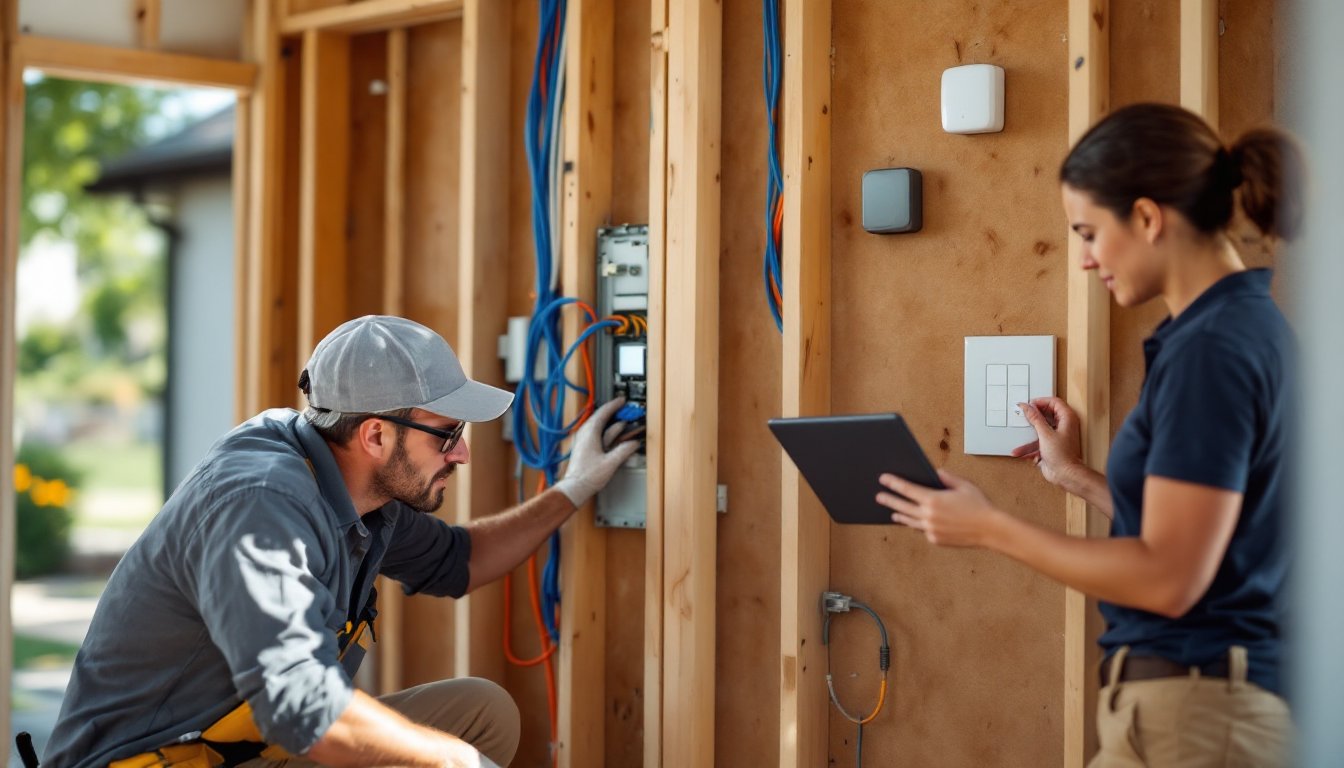

Smart home renovations aren’t just about flashy gadgets, they’re about building functionality, security, and efficiency into the bones of a house. In 2026, integrating intelligent systems during a remodel is more practical than ever, with devices that actually talk to each other, reliable wireless protocols, and retrofit solutions that don’t require tearing down walls. Whether someone’s planning a full gut job or a targeted upgrade, layering in smart technology during construction saves headaches later. It’s easier to run low-voltage wire before drywall goes up, and planning for power and data early means fewer visible cables and adapters. This guide walks through what matters: the tech worth installing, how to budget for it, and how to avoid compatibility nightmares down the road.
Key Takeaways
- Smart home renovations integrate connected devices and wiring during construction rather than retrofitting afterward, saving costs on labor and avoiding visible cables and wireless dead zones.
- Smart thermostats can reduce heating and cooling costs by 10–23% while hardwired security cameras with PoE (Power over Ethernet) provide superior reliability compared to battery-powered wireless models.
- Plan your smart home renovation budget early: basic packages start at $1,500–$3,000, while fully integrated systems range from $5,000–$30,000+, plus ongoing subscription fees for cloud storage and monitoring services.
- Choose a unified platform like Matter-certified devices, Google Home, Apple HomeKit, or Amazon Alexa early to avoid compatibility issues and reduce the need for multiple apps and workarounds.
- Run Cat6 Ethernet and neutral wires to all switch boxes during electrical rough-in phases, and install a centralized network rack in a utility room to create a reliable backbone for your smart home systems.
- Test automations and device integrations before closing walls to catch wiring and compatibility problems during construction rather than after the renovation is complete.
What Are Smart Home Renovations and Why Should You Care?
A smart home renovation integrates connected devices and automation systems into the physical structure during construction or remodeling. Instead of bolting on smart products afterward, homeowners embed controllers, sensors, wiring, and hubs while walls are open and circuits are being updated.
The difference matters. Retrofit installations often mean visible power bricks, wireless dead zones, and devices that can’t communicate because they’re on different platforms. Planning smart features during demo and rough-in phases allows for concealed wiring, dedicated circuits for high-draw devices like smart thermostats or motorized shades, and centralized control panels installed flush in walls.
From a practical standpoint, smart renovations offer tangible benefits: lower energy bills through automated climate control, remote monitoring of security cameras and locks, and voice or app-based control of lighting and appliances. For anyone selling within five to ten years, integrated smart systems also boost resale appeal, buyers increasingly expect at least basic automation.
But there’s a trade-off. Smart systems require ongoing software updates, potential subscription fees for cloud services, and compatibility vigilance as standards evolve. Homeowners should weigh convenience against the complexity of maintaining networked devices. That said, choosing open-platform ecosystems and hardwired backbones reduces long-term headaches.
Top Smart Home Technologies to Include in Your Renovation
Not all smart tech delivers equal value. Prioritize systems that improve daily routines, enhance safety, or generate measurable savings. Here are the categories worth the investment during a renovation.
Smart Lighting and Climate Control Systems
Smart lighting goes beyond color-changing bulbs. During rough-in, electricians can install smart switches and dimmers that control entire circuits, eliminating the need for proprietary bulbs in every fixture. Brands using Zigbee, Z-Wave, or Matter protocols integrate with major platforms like Home Assistant, Google Home, or Apple HomeKit. For high-end builds, 0-10V dimming systems or DALI (Digital Addressable Lighting Interface) offer commercial-grade control and smoother dimming curves.
Wiring considerations: run neutral wires to all switch boxes. Older homes often lack neutrals, which most smart switches require. Adding them during electrical work costs pennies compared to retrofitting later.
Climate control delivers the fastest ROI. A smart thermostat like an ecobee or Honeywell model can cut heating and cooling costs by 10–23%, according to EPA estimates, by learning schedules and adjusting temps when no one’s home. During HVAC upgrades, ensure the system is compatible, multi-stage heat pumps and zoned systems need thermostats with corresponding wire terminals (often a C-wire for continuous power).
For whole-home efficiency, consider smart vents that open and close based on room occupancy, or integrate with a zoned HVAC system. These require ductwork access during construction, making renovation the ideal time to install.
Automated Security and Access Solutions
Hardwired security cameras outperform wireless models in reliability and video quality. Running Cat6 Ethernet during framing provides power over Ethernet (PoE), eliminating battery changes and Wi-Fi dropouts. Position junction boxes at eaves, over entry doors, and covering vulnerable ground-floor windows.
Smart locks and video doorbells should be on dedicated circuits if they’re hardwired (most doorbells use existing low-voltage doorbell transformers, but verify the transformer supplies at least 16–24V AC and 10–40VA to handle video and motion detection loads).
For serious security, integrate a professionally monitored smart alarm system with door/window sensors, glass-break detectors, and motion sensors. Wireless systems are easier to install, but hardwired sensors don’t need battery swaps and aren’t susceptible to RF jamming. Many monitored services require annual contracts, factor that into ongoing costs.
Access control can extend beyond front doors. Smart garage door openers with integrated cameras and geofencing can auto-open as a homeowner approaches and send alerts if the door’s left open. Running power to the garage ceiling during electrical rough-in ensures clean installation.
Planning Your Smart Home Renovation Budget
Smart home features span a wide cost spectrum. Budget-conscious renovators can add meaningful automation for $1,500–$3,000, while fully integrated systems in larger homes can hit $15,000–$30,000 or more.
Basic smart package ($1,500–$3,000):
- Smart thermostat and a few smart switches
- Video doorbell and one or two wireless cameras
- Smart lock on the front door
- Voice assistant hub (Google Nest, Amazon Echo, or HomePod)
Mid-tier integration ($5,000–$10,000):
- Whole-home smart lighting with switches and dimmers
- Multi-zone climate control
- Hardwired PoE security cameras (4–6 units) and NVR (network video recorder)
- Smart garage door opener, additional smart locks
- Motorized window shades in main living areas
High-end system ($15,000–$30,000+):
- Professionally installed control system (Crestron, Control4, Savant)
- Centralized rack with network switches, UPS, and A/V distribution
- Integrated lighting, HVAC, security, and entertainment
- Whole-home audio with in-ceiling or in-wall speakers
- Motorized shades throughout
- Smart irrigation and pool controls if applicable
These ranges assume mid-grade products and professional installation where needed. DIYers can save 30–50% on labor by handling device setup and configuration themselves, but should hire licensed electricians for any work inside panels or requiring permits.
Hidden costs to remember:
- Subscription fees: Cloud storage for cameras, professional monitoring, and advanced automation features often require monthly or annual fees ($3–$30/month per service).
- Network infrastructure: A robust smart home needs a quality router, possibly mesh Wi-Fi nodes, managed switches, and structured wiring (Cat6 to main rooms). Budget $500–$2,000 for networking gear.
- Future-proofing: Conduit runs between floors or to exterior walls let homeowners pull new cables as tech evolves without opening walls again.
Get itemized quotes from integrators and electricians. Some smart systems require certified installers to maintain warranties.
Integration and Compatibility: Building a Seamless Smart Ecosystem
The biggest pitfall in smart home renovations is buying devices that don’t communicate. Homeowners end up with four different apps, conflicting voice assistants, and automations that require workarounds or third-party cloud services.
Choose a platform early. The major ecosystems, Apple HomeKit, Google Home, Amazon Alexa, and Samsung SmartThings, each have strengths. HomeKit prioritizes privacy and local control but has a smaller device selection. Google and Amazon offer broader compatibility and better voice recognition. SmartThings is strong for power users willing to tinker.
In 2026, the Matter protocol is gaining traction as a unified standard backed by Apple, Google, Amazon, and others. Matter-certified devices work across platforms without proprietary hubs. When possible, select Matter-compatible products to reduce lock-in and improve future flexibility.
Plan the network backbone. Smart homes are only as reliable as their networks. During renovation:
- Run Cat6 Ethernet to access points, cameras, TVs, and any device that can use a wired connection. Wired beats wireless for bandwidth and stability.
- Install a centralized network rack in a utility room or closet with a quality router, PoE switch for cameras, patch panel, and uninterruptible power supply (UPS).
- Add conduit between floors and to the attic for future cable pulls.
- Consider separate VLANs (virtual local area networks) to isolate smart devices from computers and phones, improving security.
Centralized control makes or breaks user experience. Options include:
- DIY hubs like Home Assistant or Hubitat run locally, support hundreds of devices, and allow complex automations without cloud dependence. They require some tech comfort but offer maximum control.
- Professional systems like Control4 or Crestron provide polished interfaces, dedicated support, and seamless integration, but cost significantly more and often require dealer service for changes.
Test integrations before closing up walls. Run a few automations, “Good Morning” scene turns on lights, adjusts thermostat, disarms security, and verify devices respond reliably. It’s easier to troubleshoot wiring and compatibility during construction than after trim and paint.
Conclusion
Smart home renovations deliver the most value when they’re planned early and integrated into the structure, not tacked on afterward. Prioritize systems that solve real problems, security, energy efficiency, convenience, and build on reliable wired infrastructure wherever possible. Choose open platforms or Matter-compatible devices to avoid lock-in, budget for both upfront costs and ongoing subscriptions, and don’t skip the network backbone. Done right, a smart renovation creates a home that’s more responsive, efficient, and ready for whatever tech comes next.